
Views: 59.8KExecutions: 8.6KExecutionsHow many times people ran this script. Copying it, downloading it or running it with the raw link all count. Max 10 per person a day.

- Key required
- Mobile friendly
Advertisement
How to use:
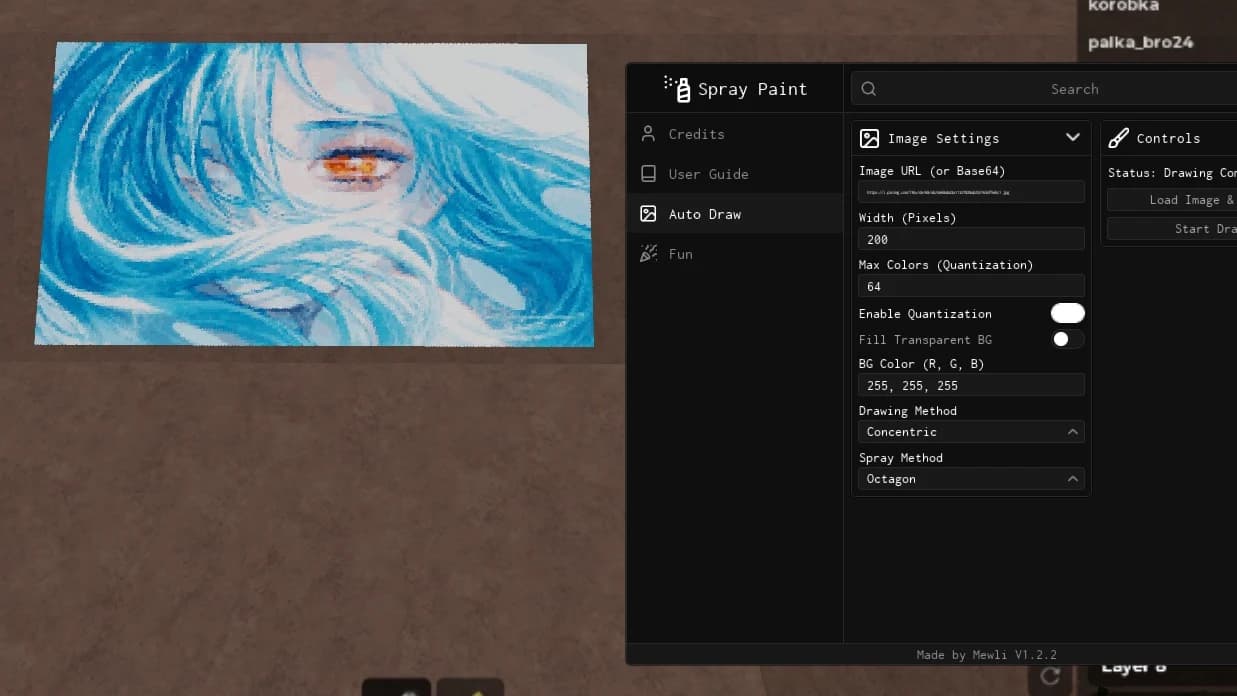
1. Paste .png images in your executor workspace folder (or try built-in discord image)
2. Select image in dropdown on the main tab go to "Auto Tune" and select preferred image px size and compression level (lower compression = better quality , faster drawing speed)
3. Drag preview overlay to preferred position but make sure it does not touch any gui element
4. Use P on keyboard or floating button to start drawing
Lower compression level = use lower brush size untill its perfect
Enjoy!
Script support only png images jpg and other types of image won't work!
Advertisement
10 lines · 471 B
MewliVerified❄️ Spray Paint!
HUXPACK❄️ Spray Paint!

boblee❄️ Spray Paint!
HUXPACK❄️ Spray Paint!
ancestrychangedVerifiedGakuran
Share what works, ask questions, or report an issue.
YowelExploitsIsLife
Ass key btw
ihatekeys_yeahfr
The "https://pandadevelopment.net/getkey?service=nagahub&hwid=4788939804" Link to get the key dosent work, Basicly useless script
Falarn
сын хуеты чтобы ты сдох нахуй в муках
Cooldudd123
Make a tutorial on how to get key please.
noo
Key system isn't working..
NarKoZzSo2
WW ngl best
Tap a chip for community notes
