Views: 39.0KExecutions: 3.2KExecutionsHow many times people ran this script. Copying it, downloading it or running it with the raw link all count. Max 10 per person a day.

Copy it, then tell others if it worked.
- Key required
- Mobile untested
Advertisement
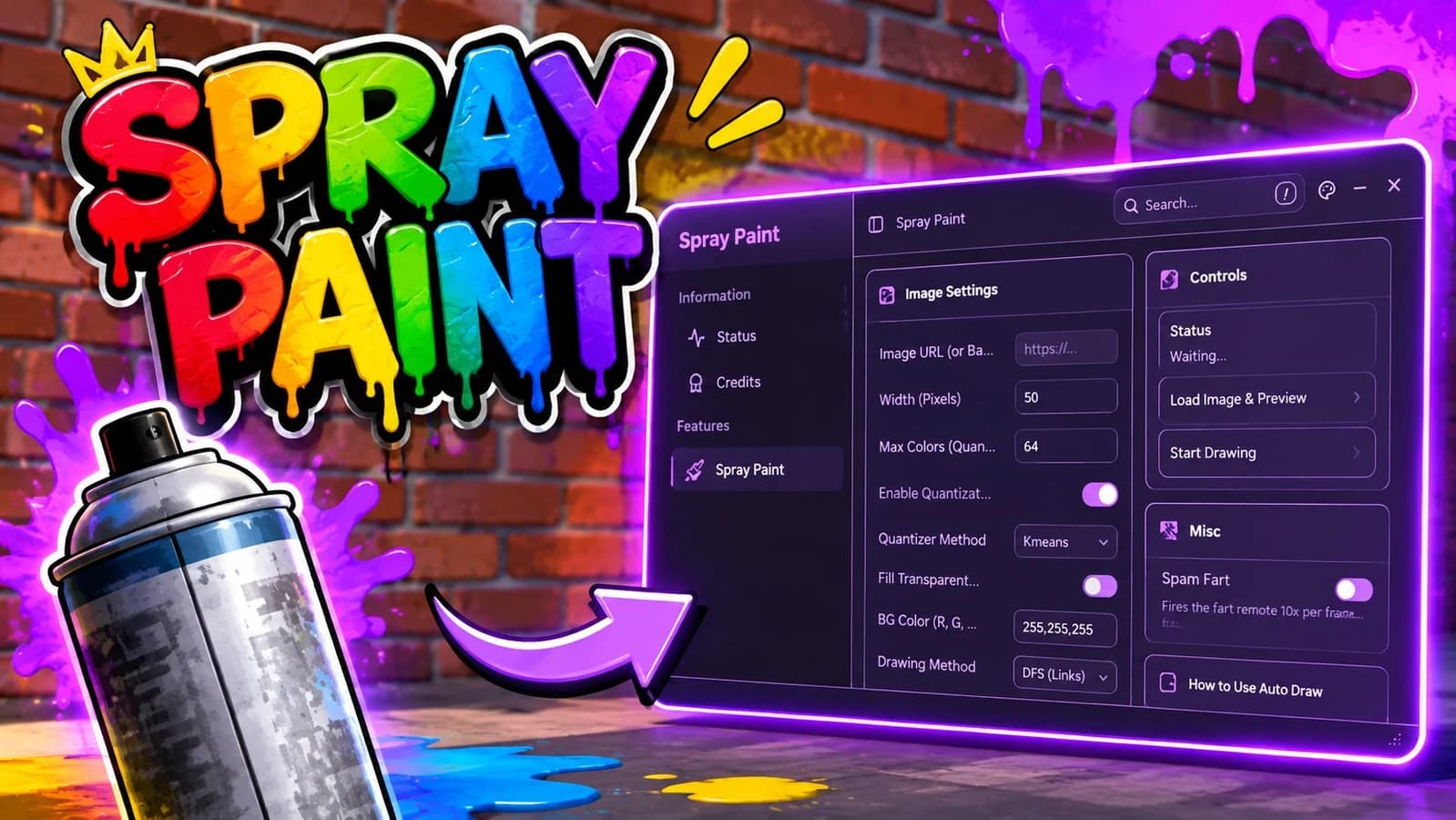
1. Image Setup
Image ID: Input field for the Roblox Asset ID.
2. Quality & Size
Resolution: Quality level (Higher = more detail, takes longer).
Pixel Size: Adjust the size of the image to be drawn.
EstimatedDrawing Size : You can calculate the px value relative to your screen.
3. Speed & Stability
Manual Speed: Manual speed control (Lower value = Faster drawing).
Clicks Per Point: Clicks per dot (1 = Continuous Drag, 2+ = Multi-Click Stability).
4. Controls
Load Image: Processes the image data (Required before drawing).
Start Drawing: Begins the drawing loop (5-second countdown).
Cancel / Stop: Immediately stops the drawing process.
Equip Spray Can: Automatically equips the spray tool to your hand.
Hotkeys
F6: Emergency stop hotkey.
Advertisement
Tap a chip for community notes
Share what works, ask questions, or report an issue.
asdasssd
verified the key now nothing works it just lags your game a bit to seem to be loading you greedy fing losr
killd
bro i got the key and then it said invalid key i hate key sys so much they r always so bad
klyutz
worst key sys ever
Solquira
you don't need to re-upload ur post um
10 lines · 506 B

SolquiraVerified❄️ Spray Paint!

boblee❄️ Spray Paint!

PuckAFKRoll A Stickman!
YourBaeCan You Pass A Driving Test?