
Views: 1Executions: 2ExecutionsHow many times people ran this script. Copying it, downloading it or running it with the raw link all count. Max 10 per person a day.

- Key required
- Mobile friendly
Advertisement
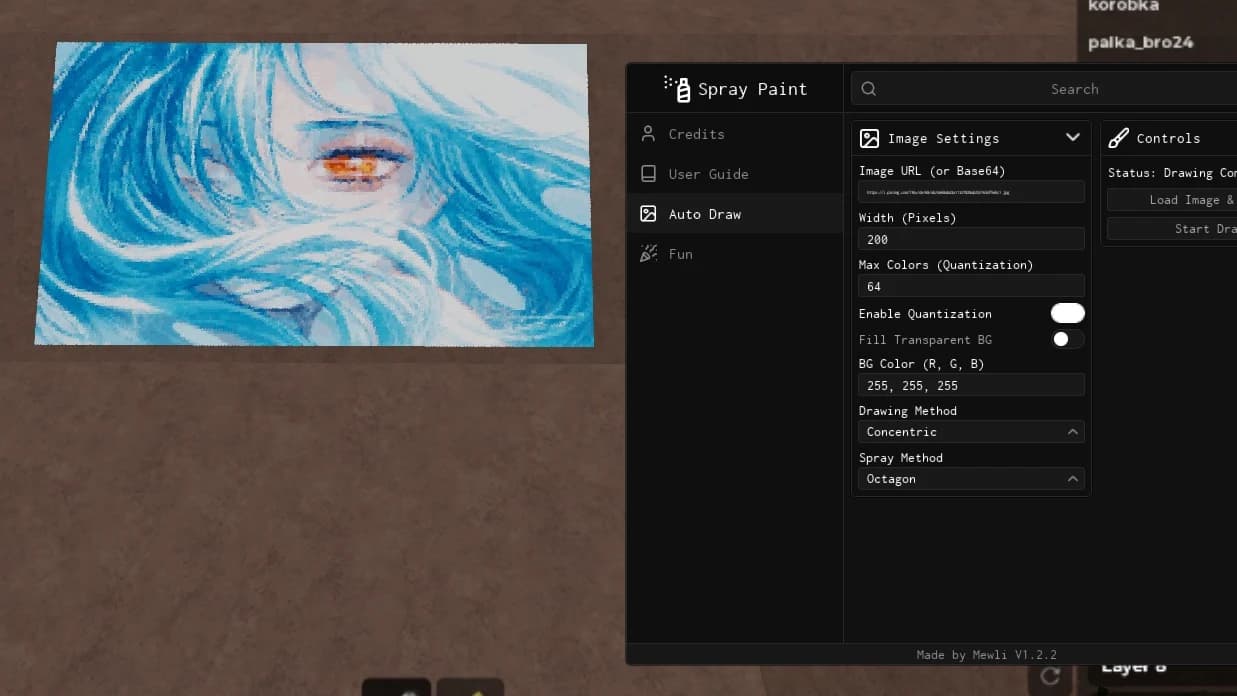
🎨 Spray Paint Image Drawer
Turn almost any image into a drawing in Roblox! Just paste an image URL, customize your settings, and let the script handle the rest.
⚠️ Before You Start
- Make sure the Spray Paint Tool is EQUIPPED before running the script.
- Read the image URL instructions for your device before getting started.
- Your URL must link directly to an image. If it ends in ".html" or leads to a webpage instead of an image, it won't work.
📋 How to Copy an Image URL
📱 Android
Google Chrome
1. Find the image you want to draw.
2. Open the image.
3. Press and hold the image.
4. Select Open image in new tab.
5. Copy the URL from the address bar.
Kiwi Browser / Brave
1. Find and open the image.
2. Press and hold it.
3. Select Copy image link.
🍎 iOS
1. Open Google Chrome — do not use Safari.
2. Find and open the image you want to draw.
3. Press and hold the image.
4. Tap Share, then select Copy.
💻 PC
1. Open the image in any browser.
2. Right-click the image.
3. Select Copy image address.
💡 Tip: Direct image links work best. If the copied URL opens a webpage instead of the image itself, try another image source.
---
✨ Features
🖌️ Draw Tab
- Auto Draw — Automatically draw images using an image URL.
- Custom Image Size — Adjust the drawing dimensions to your liking.
- Smart Image Decoder — Improved image decoding for better drawing results.
- K-Means++ Color Quantization — Optimize the color palette for cleaner, more efficient drawings.
- Multiple Drawing Algorithms
- "DFS" — Depth-first traversal.
- "Concentric" — Draw from the center outward in circular patterns.
- "RLE" — Run-length-based drawing.
- "Pixel by Pixel" — Draw the image one pixel at a time.
🚀 More Features Coming
More tools, improvements, and customization options are on the way.
Load up your Spray Paint Tool, paste your image URL, customize your settings, and start drawing.
Advertisement
Share what works, ask questions, or report an issue.
No comments yet. Be the first to share your experience with this script.
11 lines · 463 B
MewliVerified❄️ Spray Paint!
HUXPACK❄️ Spray Paint!

boblee❄️ Spray Paint!
HUXPACK❄️ Spray Paint!
dddhhh❄️ Spray Paint!
Tap a chip for community notes
