
OP AUTO FARM OP AUTO COLLECT | Nexus Hub

Description
🏠 Dashboard Tab
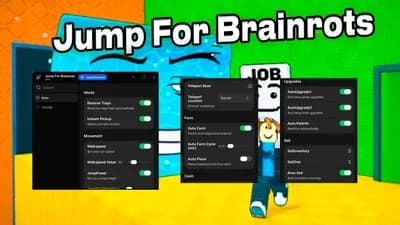
- Welcome dashboard with script overview
- Base Identifier: Automatically detects and displays your current plot
- Core Controls:
- Fast Proximity Prompt (0.01s hold duration)
- Rebirth (Once)
- Auto Rebirth (1.5s interval)
- Rebirth Remote: Automated rebirth loop via direct remote calls
- Jump Upgrades:
- Upgrade Jump (2x)
- Upgrade Jump (10x Bulk)
- Sell Controls:
- Sell Brainrot (One)
- Sell Brainrot (All/Inventory)
---
🚜 Automation Tab
Zone Automation
- Zone Selection dropdown
- Refresh Zones button
- Farm Selected Zone (Once)
- Auto Farm Selected Zone toggle (teleport loop)
Auto farm
- Auto Farm Brainrots toggle
- Brainrot Filter dropdown (multi-select)
- Refresh Brainrot List button
- Prompt Delay slider (0.1s - 5s)
Plot Collect
- Floor 1-3 Auto Collection toggles
- Cycle Delay sliders for each floor
- Automatically teleports to all collection buttons on your owned plot floors
---
🗺️ Teleport Tab
Player Travel
- Player Selection dropdown
- Refresh Players button
- Teleport to Player button
Zone Travel
- Zone Selection dropdown
- Teleport to Zone button
Stair Travel
- Stair Part Selection dropdown
- Refresh Stair List button
- Teleport to Stair button (specifically for the Stairways models)
---
🧍 Player Tab
Movement Tools
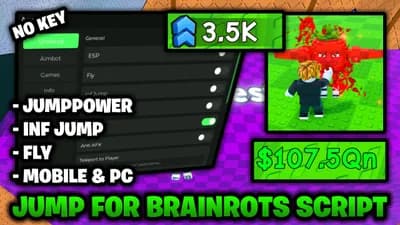
- Speed Modifier toggle and slider (16 - 200)
- Jump Modifier toggle and slider (25 - 200)
- Noclip toggle (move through walls)
- Infinite Jump toggle (jump in mid-air)
- Zoom Unlocker toggle (unlock full camera zoom distance)
---
👁️ Visuals Tab
World + Player ESP
- Player ESP: Highlight other players with fill and outline
- Full Bright: Increase map brightness and clarity
Brainrot Highlights
- Brainrot ESP toggle
- Brainrot List dropdown (multi-select)
- Refresh Brainrot List button
- Allows targeting specific brainrot models for visibility
---
⚙️ Config Tab
Profile
- Config Name input
- Save Config button
- Load Config button
- Auto Save Config toggle (saves periodically)
- Auto Load Config toggle (loads your last config on startup)






Comments
No comments yet
Be the first to share your thoughts!