# VexAmp Menu — Climb Scary Worm Tower 3
A clean, smooth, and easy-to-use script with a modern menu layout. Built to run fast without lagging your game or crashing.
# Key Features
📊 Main Stats & Telemetry
* Live Stats: Real-time counter for your FPS, ping, and server player count.
* Altitude Tracker: Tracks how high you've climbed from 0.0m (0% at spawn) all the way to 303.5m (100% at the very top) with a live progress bar.
🏃 Movement
* Fly & Noclip: Smooth flying with WASD + Space/Shift, infinite jump, and noclip to walk through walls.
* Invisible Platform: Spawns an invisible floor under your feet so you can't fall off.
* Speed & Jump Sliders: Simple sliders to adjust your WalkSpeed and JumpPower anytime.
⚔️ Combat & Defense
* Anti-Slap / Anti-Fling: Stops players from launching you off the stairs with slap hands or bats.
* Anti-Taser & Anti-Ragdoll: Keeps you on your feet—you won't flop or collapse when tasered or hit.
* Slap Aura: Automatically hits nearby players if you have a bat or slap hand equipped.
👁️ Visuals (ESP)
* Skeleton ESP: Clean skeleton lines that track players smoothly without freezing or glitching out.
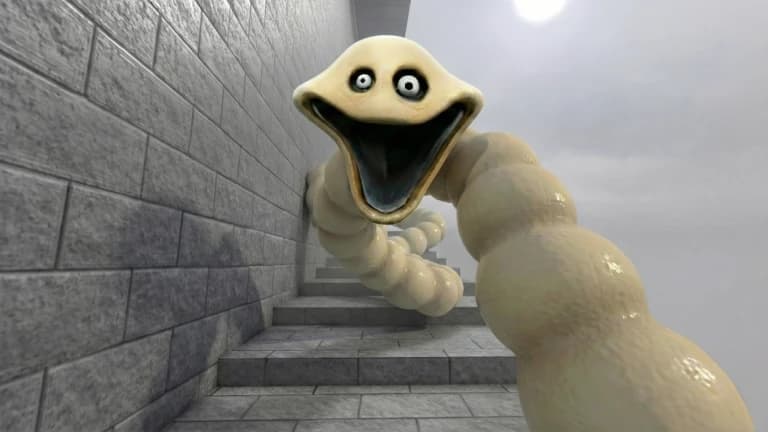
* Worm Hitbox ESP: Highlights the scary worm's actual kill zone so you know where it's safe to stand.
* Item ESP: Highlights speed potions and items spawned around the tower with distance tags.
* Player ESP: Shows player boxes, names, and distance.
🛡️ Hazard Bypasses
* Anti-Ice: Walk completely normally during Ice Age without sliding or slowing down.
* Anti-Party Mode: Removes the crazy camera tilt and bright flashing lights during party events.
* No Shake: Stops your camera from violently shaking when the worm gets close.
* Instant Grab: Lets you pick up items and potions right away without having to hold E.
* Anti-Landmine & Anti-Fall Tiles: Steps safely on mines and stops falling stairs from breaking under you.
# Controls
* RightShift: Open / Close Menu
* Ctrl + Click: Teleport to where you click
* Drag Header: Move the menu around (drag the bottom-right corner to resize)