
Views: 2.0KExecutions: 671ExecutionsHow many times people ran this script. Copying it, downloading it or running it with the raw link all count. Max 10 per person a day.

Copy it, then tell others if it worked.
- Key required
- Mobile friendly
Advertisement
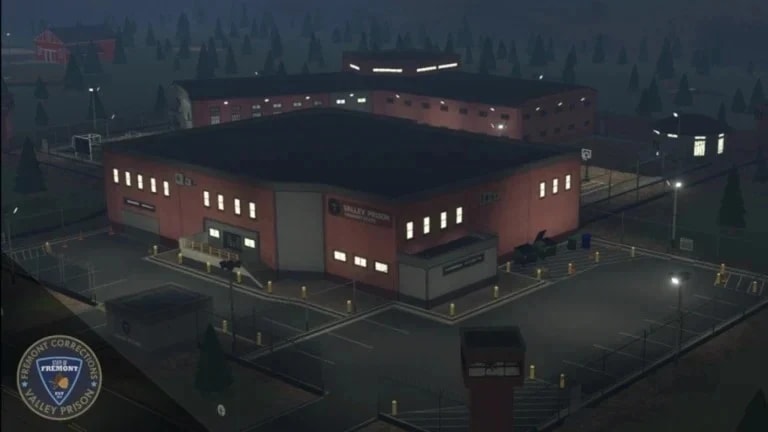
Valley Prison Script Overview
Supported Game: Valley Prison (standard and voice chat servers)
---
Core Features & Menu Paths
Player ESPGAMEPLAY > Visuals > Client > Player ESP
Enable ESP: Master toggle for all ESP visuals.
Highlight: Silhouette highlight.
Overhead UI: Shows username, distance, health.
Boxes: Screen-space box around player.
Skeletons: Bone lines.
Tracers: Lines from screen center to target.
Limit ESP Distance: Restricts range (must be enabled).
ESP Distance: Sets max range.
Visible Teams: Filters by team (e.g., inmate, guard).
Inventory Hover: Only in Valley Prison — shows backpack contents when hovering over a player.
Combat & AimGAMEPLAY > Combat > Combat > Assist
Enable Assist: Master toggle.
Aim Part: Target body part (head, chest).
Smoothness: How fast aim follows target.
FOV: Aiming circle size.
Wall Check: Only targets visible through walls.
Ignore Dead: Excludes dead players.
Limit Aim Distance: Restricts long-range targets.
Aim Distance: Max distance for targeting.
Auto Scale FOV: Adjusts FOV
And fly
Advertisement

scriptemakeValley Prison

outteeValley Prison

![KolHub V1.6 [KEYLESS]](/_next/image?url=%2Fassets%2Fscripts%2F6a3d96ceb8f65db4f2a16b75_1792858399116_WSM7hlY3vr_0.webp&w=3840&q=75)

Nitro5544Valley Prison

loliValley Prison
9leValley Prison
RAWHUBValley Prison
Tap a chip for community notes
Share what works, ask questions, or report an issue.
No comments yet. Be the first to share your experience with this script.
10 lines · 466 B