-- ESP Script for All Executors
-- Simple ESP with toggle UI
local Players = game:GetService("Players")
local LocalPlayer = Players.LocalPlayer
local RunService = game:GetService("RunService")
-- Create simple GUI
local ScreenGui = Instance.new("ScreenGui")
ScreenGui.Name = "ESPGui"
ScreenGui.ResetOnSpawn = false
ScreenGui.Parent = LocalPlayer:WaitForChild("PlayerGui")
-- Toggle button
local ToggleButton = Instance.new("TextButton")
ToggleButton.Size = UDim2.new(0, 120, 0, 40)
ToggleButton.Position = UDim2.new(0, 20, 0, 20)
ToggleButton.BackgroundColor3 = Color3.fromRGB(40, 40, 40)
ToggleButton.TextColor3 = Color3.fromRGB(255, 255, 255)
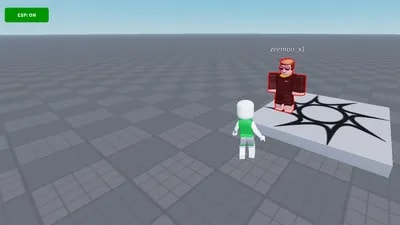
ToggleButton.Text = "ESP: OFF"
ToggleButton.BorderSizePixel = 0
ToggleButton.Font = Enum.Font.SourceSansBold
ToggleButton.TextSize = 16
ToggleButton.Parent = ScreenGui
-- Rounded corners
local UICorner = Instance.new("UICorner")
UICorner.CornerRadius = UDim.new(0, 6)
UICorner.Parent = ToggleButton
-- ESP state
local espEnabled = false
local connections = {}
local highlights = {}
-- Function to create ESP for a player
local function createESP(player)
local function onCharacterAdded(character)
local rootPart = character:WaitForChild("HumanoidRootPart", 5)
if not rootPart then return end
local highlight = Instance.new("Highlight")
highlight.Name = "ESP_" .. player.Name
highlight.Adornee = character
highlight.FillTransparency = 0.8
highlight.OutlineTransparency = 0
highlight.OutlineColor = player.Team and player.Team.TeamColor.Color or Color3.fromRGB(255, 0, 0)
highlight.DepthMode = Enum.HighlightDepthMode.AlwaysOnTop
highlight.Parent = character
highlights[player] = highlight
end
if player.Character then
onCharacterAdded(player.Character)
end
local charAddedConn = player.CharacterAdded:Connect(onCharacterAdded)
table.insert(connections, charAddedConn)
end
-- Function to remove ESP for a player
local function removeESP(player)
if highlights[player] then
highlights[player]:Destroy()
highlights[player] = nil
end
end
-- Function to enable ESP system
local function enableESP()
for _, player in pairs(Players:GetPlayers()) do
if player ~= LocalPlayer then
createESP(player)
end
end
local playerAddedConn = Players.PlayerAdded:Connect(function(player)
if player ~= LocalPlayer then
createESP(player)
end
end)
table.insert(connections, playerAddedConn)
local playerRemovingConn = Players.PlayerRemoving:Connect(function(player)
removeESP(player)
end)
table.insert(connections, playerRemovingConn)
end
-- Function to disable ESP system
local function disableESP()
for _, conn in pairs(connections) do
conn:Disconnect()
end
connections = {}
for player, highlight in pairs(highlights) do
highlight:Destroy()
end
highlights = {}
end
-- Toggle button click handler
ToggleButton.MouseButton1Click:Connect(function()
espEnabled = not espEnabled
if espEnabled then
ToggleButton.Text = "ESP: ON"
ToggleButton.BackgroundColor3 = Color3.fromRGB(0, 150, 0)
enableESP()
else
ToggleButton.Text = "ESP: OFF"
ToggleButton.BackgroundColor3 = Color3.fromRGB(40, 40, 40)
disableESP()
end
end)
-- Make button draggable
local UserInputService = game:GetService("UserInputService")
local dragging = false
local dragStart = nil
local startPos = nil
ToggleButton.InputBegan:Connect(function(input)
if input.UserInputType == Enum.UserInputType.MouseButton1 then
dragging = true
dragStart = input.Position
startPos = ToggleButton.Position
end
end)
ToggleButton.InputEnded:Connect(function(input)
if input.UserInputType == Enum.UserInputType.MouseButton1 then
dragging = false
end
end)
UserInputService.InputChanged:Connect(function(input)
if dragging and input.UserInputType == Enum.UserInputType.MouseMovement then
local delta = input.Position - dragStart
ToggleButton.Position = UDim2.new(
startPos.X.Scale, startPos.X.Offset + delta.X,
startPos.Y.Scale, startPos.Y.Offset + delta.Y
)
end
end)
Comments
Thanks for the support If you used the script! I'll try improving and updating this script soon—maybe add some new ESP styles like boxes or health bars. Might even make an aimbot script next if I get some free time! Stay tuned :)