
Views: 638Executions: 111ExecutionsHow many times people ran this script. Copying it, downloading it or running it with the raw link all count. Max 10 per person a day.

- Keyless
- Mobile untested
Advertisement
Customize your army with incredible visual effects!
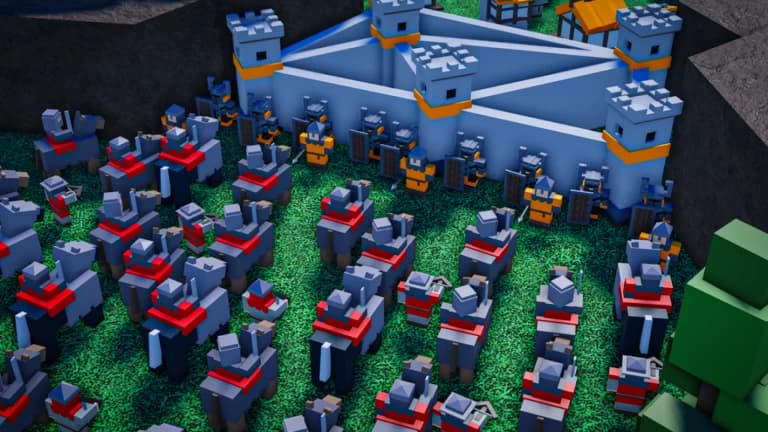
Visual customization script for Roblox Medieval RTS that lets you apply special effects to your units using a stylish, easy-to-use GUI.
Choose from built-in effects such as Blue Fire, Gold Sparkles, Shadow Smoke, Emerald Glow, and Royal Highlight, or explore additional effects detected in the game's ReplicatedStorage.
Perfect for players who want to customize their King, Knights, and entire army with unique appearances.
✨ Built-in Visual Effects
🔥 Blue Fire — Surround your units with magical blue flames.
✨ Gold Sparkles — Give your army golden particle effects.
💨 Shadow Smoke — Add a mysterious purple smoke effect.
💡 Emerald Glow — Illuminate your units with a vibrant green light.
👑 Royal Highlight — Give your King or army a prestigious golden outline.
🎨 Effect Library
Displays available effects in an organized scrolling list.
Select and apply effects instantly.
Supports ParticleEmitters, Fire, Smoke, Sparkles, Highlights, and multiple light effects.
⚔️ Unit Customization
ALL UNITS: Apply your selected effect to your entire army.
SELECTED: Customize only units selected in-game.
KING: Apply a special effect exclusively to your King.
Automatically applies your chosen effect to newly spawned units when using ALL UNITS or KING.
📱 Modern GUI
Clean dark-themed interface with green accents.
Draggable and collapsible window.
Scrollable effect library.
Simple Apply and Clear buttons.
Compatible with mobile and PC interfaces.
Join Roblox Medieval RTS.
Execute the script.
Open the Effects Studio GUI.
Choose ALL UNITS, SELECTED, or KING.
Select your favorite effect from the library.
Press APPLY EFFECT.
Use CLEAR EFFECTS whenever you want to remove your applied effects.
Advertisement
UnlockedGGMEDIEVAL RTS
UnlockedGGMEDIEVAL RTS
UnlockedGGMEDIEVAL RTS
UnlockedGGMEDIEVAL RTS
UnlockedGGMEDIEVAL RTS
UnlockedGGMEDIEVAL RTS
Share what works, ask questions, or report an issue.
No comments yet. Be the first to share your experience with this script.
10 lines · 464 B