
Views: 638Executions: 342ExecutionsHow many times people ran this script. Copying it, downloading it or running it with the raw link all count. Max 10 per person a day.

Copy it, then tell others if it worked.
- Key required
- Mobile untested
Advertisement
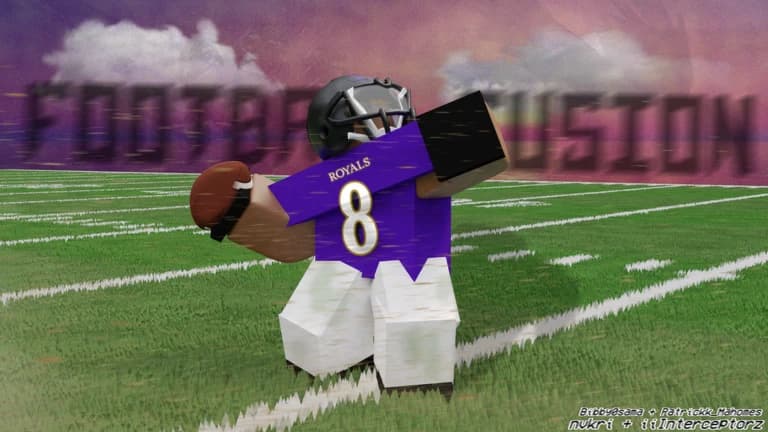
Bring more control to Football Fusion 3 with Sir Meme Hub. Adjust quarterback and kicker aim, catching, blocking and swatting, then use ball-path and carrier prediction to follow the play. Player visuals and movement settings help you finish your setup.
Sir Meme Hub is a high quality premium Roblox script hub with hand crafted anti cheat bypasses designed to last. Football Fusion 3 is included with all 19 supported games in one purchase.
Current updates include Ignore Cooldown for Auto Catch, Pull Strength and Range Transparency for magnets, Ball Path colour, and a Debug Tab with live catch, swat, block, throw and kick stats, world visuals and a copyable report.
QB Aimbot: redirects your pass, so the ball still leaves the moment you threw it. Throw normally and the pass redirects toward the teammate nearest your throw direction, without moving the camera.
Auto Throw: sends the throw itself rather than redirecting one you made, with a power setting
Kicker Aimbot: clicks the kick meter at the top and bottom of its travel
Throw Aim Options: lead the target, team only, max power, and name the receiver under your crosshair
Catch Magnets: pulls a catch in from further out than the game gives you, with range, Pull Strength and Range Transparency controls
Auto Catch: uses the game's own catch, with Ignore Cooldown and an option to act only while the ball is in flight. Ignore Cooldown removes the normal wait between catches.
Block Reach: blocks whoever is in range, past the reach the game normally allows. Auto Block also starts the block animation.
Auto Swat: uses the game's own catch to swat the ball when it comes into range
Pull Vector: drags you toward the ball instead of waiting for it to reach you
Auto Jump: jumps for the ball, only while it is in flight so it does not spoil a juke
Anti Jam: stops anyone body blocking you
Anti Block: clears the drag that pins you when you are blocked
High Jump: raises your jump, on a strength slider
Quick Teleport: a short teleport on a keybind, out to a range you set
Ball Path: draws the flight path and landing marker, with a colour setting and a trail you can turn off
Carrier Prediction: marks where the ball carrier will be, so a tackle meets them there
Big Head: scales heads up, with size and transparency
Debug Tab: live catch, swat, block, throw and kick stats, world visuals, and a copyable report
Player ESP: boxes, health bars with HP text, names, distance, held gun and weapon icon
Box Styling: corner or full boxes, bounding box and auto full box controls, colours, image fill and transparency
Skeleton ESP: bone lines with joint points, thickness, and gradient, rainbow, pulse or sway animation
Chams: fill or per-limb adornment, depth, outline, shading, brightness, padding, rainbow and pulse
Gradients: two-colour gradients on boxes and health bars, with an angle and an animation speed
ESP Filters: who to show, alive only, visible only and a visibility tolerance slider
Visibility Colours: separate ESP colours for visible targets and targets behind cover
ESP Preview: preview your ESP, including skeletons, chams, gradients and box fill
NPC, Loot And Vehicle ESP Styling: box style, chams transparency, text size and maximum distance for NPC, loot and vehicle overlays. These overlays work independently of Player ESP.
Colour Correction: tint, saturation, contrast and brightness over the whole screen
Lighting Control: ambient and colour shift, exposure, brightness, clock time, shadows and the render technology
Fog And Atmosphere: density, haze, glare and offset, with your own fog and sky colours
Skybox And Weather: 72 skyboxes, rain, storm, snow, blizzard, lightning and custom ambience sound and volume
Bloom And Sun Rays: intensity, size, threshold and spread, or both off entirely
Camera Controls: field of view, aspect ratio and blur
Depth Of Field: adds depth of field to the scene
Config System: save and load per-game configurations, with an automatic load profile
Config Sharing: cloud sharing, Import From Link, Upload And Copy Link and Export To Clipboard
Custom Themes: preset themes and saved custom themes made from five colours
Interface Languages: eleven languages, switched instantly and remembered between launches
Anonymous Mode: a made-up name and avatar in the hub sign-in display, with an anonymised watermark
Menu Controls: menu keybind, Load On Teleport, silent mode and unload script
Hub Information: What's New and credits
QB Aimbot redirects a pass you have already made. Auto Throw initiates a pass itself. Excessive block, swat and catch ranges can trigger server distance checks.
$14.99 once unlocks all 19 supported games and hub updates for as long as Sir Meme Hub runs. No subscriptions, ad checkpoints or recurring key resets.
A Windows executor is required separately. Crypto payments only. No refunds. Game updates can affect availability and script use can result in account bans.
Full Football Fusion 3 features and current status: https://sirmemehub.com/games/football-fusion-3
Get Sir Meme Hub: https://sirmemehub.com/
Discord: https://discord.sirmemehub.com/
Advertisement

relayVerifiedFootball Fusion 3
desveyFootball Fusion 3

ZoviiFootball Fusion 3

synthubFootball Fusion 3

AikeoScriptsFootball Fusion 3

JohjFootball Fusion 3
Share what works, ask questions, or report an issue.
No comments yet. Be the first to share your experience with this script.
2 lines · 155 B