


0 followers•23h ago
Nexu Menu V1 BETA

## Nexu Lua Script – Feature Description The Nexu Lua Script is a client-side Roblox menu with a technical tablet interface, multiple modules, and dynamic online features. It includes a modern UI with customizable design, player overview, movement tools, minimap, ESP displays, and role-based access control. ### Main Features Modern Nexu Menu The script starts with its own loading screen and then opens a technical tablet-style menu. The menu can be moved, minimized, and closed. When closing it, local objects such as Nexu Island are properly removed. Role System in the Menu The script detects player roles such as MENU CREATOR, SUPPORTER, and PLAYERS. The role is displayed inside the menu and controls which features a player is allowed to use. Supporters and Creators can access extra player functions such as Bring. Menu Players The player menu shows active Nexu players. Each player entry displays the profile picture, name, user ID, role, and status. Authorized users can use the Bring button to bring another player to their location. Movement Module The movement menu includes different player functions such as speed and jump settings, as well as additional teleport features. It also includes a button for Nexu Island, a local chill zone located far away from the main map. Nexu Island Nexu Island is a locally created island with a large round platform, Nexu logo, decorations, and a chill area. It is only created for the local client and fully disappears when the script is disabled. Minimap The script includes its own minimap with player markers. Player positions are projected onto the map so that markers are placed as accurately as possible at the player’s real position. ESP Features The script includes ESP modules for player displays, such as names, lines, health bars, and skeleton views. Many of these features are performance-friendly and only stay active when they are enabled. Multilingual Interface The menu supports multiple languages, including German and English. Many visible texts are translated automatically. Design and Settings Menu Colors, themes, transparency, scaling, animations, and other UI settings can be customized and saved. Button colors and accents follow the currently selected menu color. Server Connection for Status and Commands The Lua Script communicates with the Nexu server to synchronize online status, roles, direct messages, Bring commands, and access permissions. When a player starts the script, they are shown as online. When the script is disabled, they are set to offline. Safe Single Start The script prevents the same version from running multiple times at once. Older versions are safely stopped to avoid duplicated menus, heartbeats, or render connections. ### Short Description Nexu Lua Script is a modern Roblox client menu with player overview, role system, minimap, ESP, movement tools, design customization, and a local Nexu Island. It connects to the Nexu server, synchronizes player status and permissions, and provides role-based features for Creators, Supporters, and regular Players.
tawxm hub no op:)
[NEW] Touch Football
1 views

+1 Speed Keyboard Escape best script
[UPD] +1 Speed Keyboard Escape | Candy & Chocolate
68 views
+1 Keyboard escape
+1 Speed Keyboard Escape | Honey & Chocolate
66 views

THE BEST AUTO PARRY BEST AP BREAKER BEST FREE AP BREAKER FRE
(学乱) Gakuran
68 views

Lumia FUT Script
FUT ⚽ [OPEN TESTING] 🔓
65 views
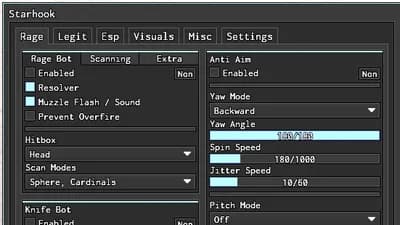
BEST Rage Bot, Anti Aim, Gun Mods | Starhook
Phantom Forces PC
70 views
tawxm hub no op:)
[NEW] Touch Football
1 views
+1 Speed Keyboard Escape best script
[UPD] +1 Speed Keyboard Escape | Candy & Chocolate
68 views
+1 Keyboard escape
+1 Speed Keyboard Escape | Honey & Chocolate
66 views
THE BEST AUTO PARRY BEST AP BREAKER BEST FREE AP BREAKER FRE
(学乱) Gakuran
68 views
Lumia FUT Script
FUT ⚽ [OPEN TESTING] 🔓
65 views
BEST Rage Bot, Anti Aim, Gun Mods | Starhook
Phantom Forces PC
70 views

Comments
No comments yet
Be the first to share your thoughts!