Views: 3.7KExecutions: 4.0KExecutionsHow many times people ran this script. Copying it, downloading it or running it with the raw link all count. Max 10 per person a day.

Copy it, then tell others if it worked.
- Keyless
- Mobile friendly
Advertisement
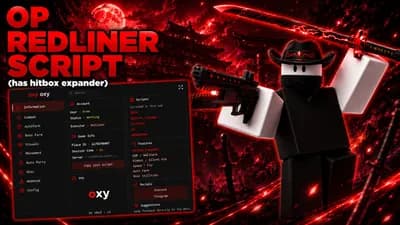
REDLINER is a movement shooter that is half swordfight - melee, gun, grapple, dash, slide, wallrun, and a parry that stops bullets as well as blades. This script is built around the sword, because that is what the game actually is.
FEATURES
- Kill aura: swings when somebody is already inside your reach AND inside the arc you are looking at. It never moves your camera, so it stays an aura rather than an aimbot
- Hit counter: reads the game's own damage popup, so reach and arc can be tuned against hits that really landed instead of by feel
- ESP: box, name, level, distance, head dot, skeleton, tracer and through-wall chams
- Weapon ESP: shows whether each enemy is carrying the sword or a gun. The game never tells you, and the two play completely differently
- Auto parry: watches the attacker's own animation. Off by default, with a delay slider and a counter that reads the game's ParrySuccess animation
- Aim assist and triggerbot: camera side only, with a turn-speed cap so nothing snaps
- Auto bhop and auto slide: no speed slider on purpose - the game runs its own movement controller and WalkSpeed is not what moves you here
- Works in all three places: the hub, the 1v1 and 2v2 duels, and the FFA
MOBILE
The panel asks PC or phone the first time it opens and scales itself to fit, and it speaks German, English, Russian and Filipino.
HOW TO RUN
1. Open REDLINER
2. Paste the loader into your executor
3. Execute - the panel opens by itself
4. Everything is off except the ESP until you switch it on
No Robux, no key, no ads. The script fires no remote at all: the aim moves the camera, the aura and trigger press the real mouse button, the parry presses the real parry key.
Open source: https://github.com/seltonmt012/sel01-rbx
Advertisement

OvertimeREDLINER

pxl3REDLINER




noir_rREDLINER
Tap a chip for community notes
Share what works, ask questions, or report an issue.
ApeThing
Goonable :D
skibidihobo58
Good stuff
UniversalGuy
nice guy :heart-durr:
10 lines · 457 B