
Views: 7.5KExecutions: 360ExecutionsHow many times people ran this script. Copying it, downloading it or running it with the raw link all count. Max 10 per person a day.

- Key required
- Mobile friendly
Advertisement
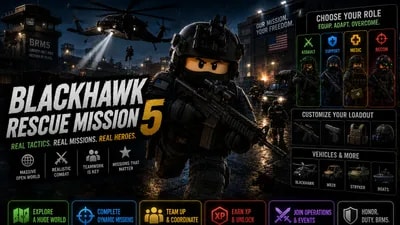
Blackhawk Rescue Mission 5 - Script Features
👁️ ESP Visuals Tab
Enable ESP: Master toggle to turn the player highlights on or off. Automatically detects and highlights enemy units across the map.
ESP Mode: Choose how enemies are highlighted:
Outline: Draws a clean, colored border around targets.
Fill: Fills the target with a solid, semi-transparent color (obeys map occlusion).
Wall: X-Ray vision mode that allows you to see the colored fill of targets through walls and obstacles.
ESP Color: A fully customizable color picker to change the highlight colors to your preference.
Fill Transparency: A slider to adjust the opacity of the ESP when using the Fill or Wall modes.
⚔️ Combat & Visuals Tab
Crosshair: Places a clean, static crosshair in the center of your screen to improve hip-fire accuracy. The crosshair automatically inverts its color based on your chosen ESP color to ensure it is always visible.
Disable NVG & Color Correction: Instantly removes annoying Night Vision Goggle (NVG) UI overlays and blinding in-game color filters, giving you a crystal-clear view of the battlefield at all times.
Advertisement
Share what works, ask questions, or report an issue.
No comments yet. Be the first to share your experience with this script.
11 lines · 491 B

sportsclubthekingBlackhawk Rescue Mission 5
sigmaboy123094Blackhawk Rescue Mission 5

erin13Blackhawk Rescue Mission 5

chickenlive47Blackhawk Rescue Mission 5

EliteHub0Blackhawk Rescue Mission 5

BloxHub2Blackhawk Rescue Mission 5