
27
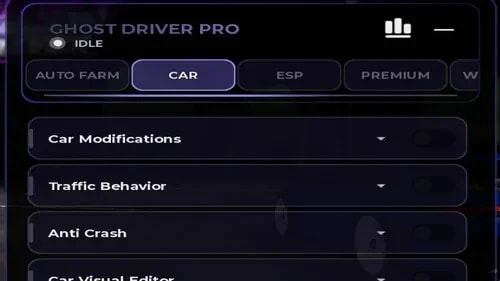
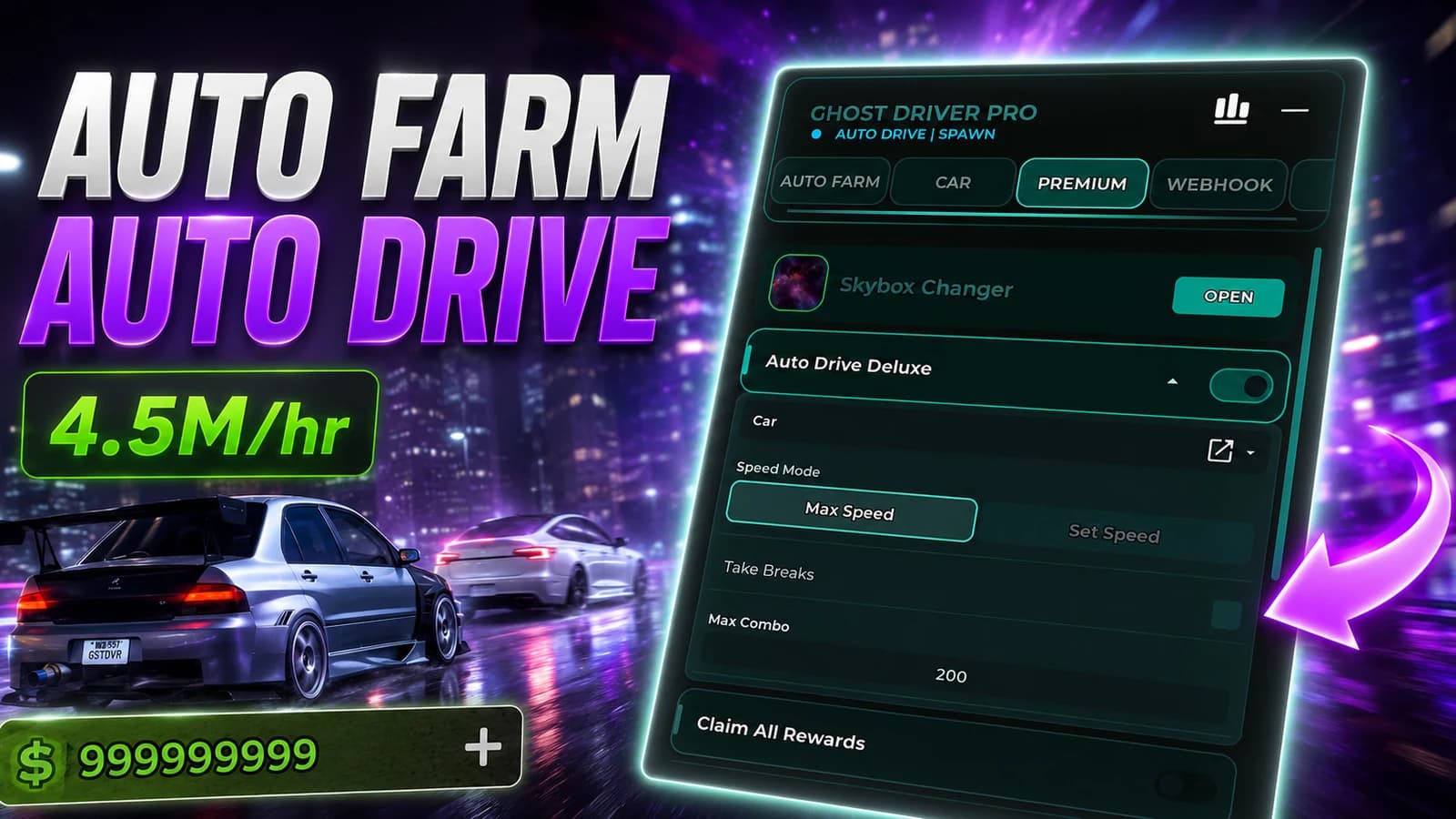
The script is organized into Auto Farm, Car, ESP, Premium, and additional configuration sections. The Auto Farm tab includes Auto Drive for automated vehicle movement, while the Car tab provides separate modules for Car Modifications, Traffic Behavior, Anti Crash, and Car Visual Editor. The ESP section includes Player ESP, and the interface itself can be customized through GUI size, color theme, and tab separation settings.
1
Auto Drive – automatically drives the vehicle using the script’s configured routing or driving logic.
2
Auto Farm – provides automated driving and farming-related vehicle features.
3
Car Modifications – contains settings for changing supported vehicle behavior or performance.
4
Traffic Behavior – provides options related to how the vehicle interacts with traffic.
5
Anti Crash – helps prevent or reduce vehicle crashes during automated driving.
6
Car Visual Editor – provides visual customization options for supported vehicles.
7
Player ESP – highlights or tracks other players for better awareness.
8
Toggle GUI Visibility – assigns a control for showing or hiding the Ghost Driver Pro interface.
9
UI Size – changes the interface scale between available size presets.
10
Color Theme – changes the visual theme of the hub.
11
Disable Tab Separation – changes how tabs are visually separated inside the interface.
12
Premium – contains additional premium-related features or settings.
13
Status Indicator – displays the current script state, such as Idle.
To use Ghost Driver Pro, join the supported Roblox driving game and execute the hub through a compatible Roblox executor. Start with Auto Farm if you want automatic driving, then open the Car section to configure vehicle modifications, traffic behavior, Anti Crash, or visual settings. Player ESP can be enabled separately for better awareness, while the interface settings let you resize and customize the hub before returning to gameplay.
Game Page
Ghost Driver
Tap a chip for community notes
9 lines · 420 B
Ghost Driver
Ghost Driver
Ghost Driver
Ghost Driver
Ghost Driver
Ghost Driver
Comments
Join the discussion about this script.
No comments yet. Be the first to share your experience with this script.