
Views: 1.2KExecutions: 489ExecutionsHow many times people ran this script. Copying it, downloading it or running it with the raw link all count. Max 10 per person a day.

Copy it, then tell others if it worked.
- Key required
- Mobile friendly
Advertisement
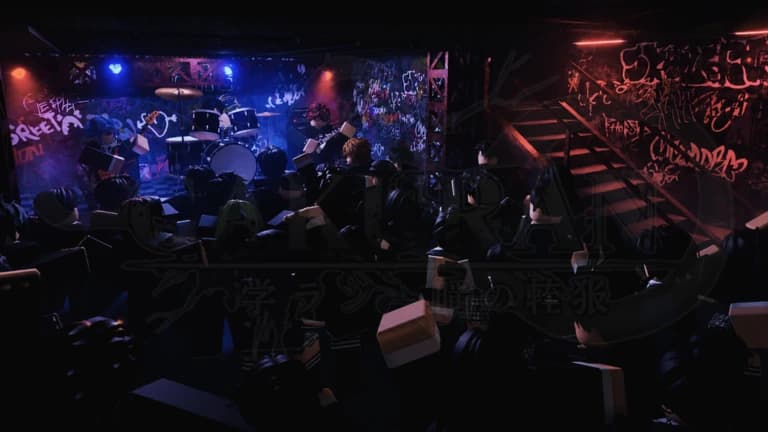
# ⚡ PayomboyZ Hub | (学乱) Gakuran Script
An advanced, high-performance combat automation and character utility script engineered for (学乱) Gakuran, powered by the standalone Obsidian Glassmorphic 2 Engine.
### Key Features
Dual-Language UI (EN / TH):
- English as primary language by default.
- One-click instant language switch button 🌐 EN / 🌐 TH) located on the top-right header bar.
100-Stud Smart Tactical Navigation:
- Predictive Intercept: Leads movement using enemy linear velocity instead of blindly following.
- Obstacle Avoidance: Utilizes PathfindingService with raycast radar whiskers fallback to navigate corners, doors, and walls.
- Auto-Vault & Elevation Jump: Automatically jumps over low obstacles, stairs, and ledges.
- Anti-Stuck & Auto-Unsit Engine: Instantly unsits from chairs and recovers if wedged between obstacles.
Intelligent Combat Module:
- Auto Parry & Auto Dodge: Frame-advantage telemetry counters enemy attack startups and active hitboxes.
- Auto M1 Combo Engine: State-adaptive punch cadence with built-in parry-bait feints.
- Auto M2 Grapple: Punishes guard-breaking, stunned states, and evasion cooldown windows.
- Aim Assist: Automatic look-at lock during punches and defensive blocking.
- Anti-Grapple: Auto-break mechanism when caught in enemy grabs.
Automation & Quality-of-Life:
- Auto Grip (B): Automatically finishes downed enemies within range.
- Auto Carry (V): Quickly picks up knocked players.
- Auto Respawn: Automatic script/UI state persistence across character respawns.
Character & Movement Exploits:
- No-Slow: Complete immunity to combat slow-down debuffs.
- Noclip: Walk smoothly through static walls and map geometry.
- Style Switcher: Instantly swap fighting styles (Boxing, Capoeira, Hakari, Muay Thai, etc.).
- Height Scaler: Dynamic character model scaling (70% to 130%).
Clean Glassmorphic Interface:
- Real-time FPS, Ping, and session uptime monitoring capsule.
- Draggable, responsive interface with hotkey toggle (K / LeftCtrl / RightCtrl).
Advertisement

CryonixHubGakuran

catnbaVerifiedGakuran

toruGakuran

valveacGakuran
valveacGakuran
valveacGakuran
Share what works, ask questions, or report an issue.
dones
Next time bro make a script link that can just invit us to the discord server like what if we don't know our pass you'll make it more difficult to get the key easily
10 lines · 467 B