
Views: 1.2KExecutions: 302ExecutionsHow many times people ran this script. Copying it, downloading it or running it with the raw link all count. Max 10 per person a day.

Copy it, then tell others if it worked.
- Key required
- Mobile friendly
Advertisement
The script is completely free, just grab your Free Key in our Discord: https://discord.gg/gaballa
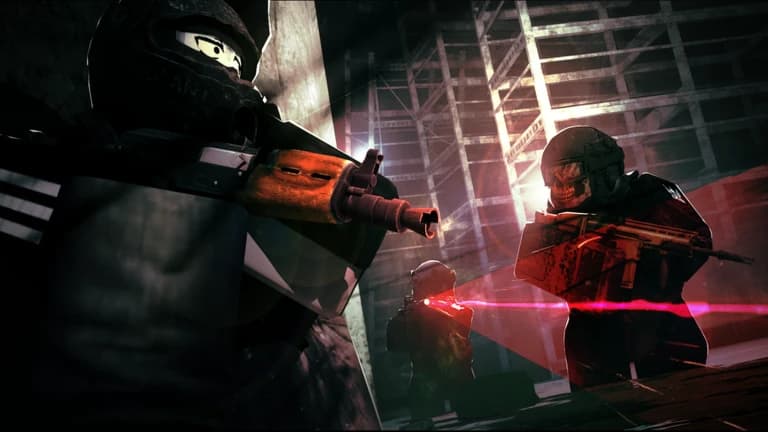
Havoc is decided by who sees the fight first and who wins it. GABALLA gives you the biggest advantage.
── AIMBOT ──
• Aimbot ( Mouse )
• Auto Prediction
• Sticky Aim - holds the target you locked until you release the key, instead of flicking to whoever drifts closest.
• Hitboxes - Head, Torso, Root, Arms and Legs
• Targeting - Target Players, Target Bots, Prefer Players and Wallcheck.
• Tuning - Aim FOV, Max Distance, Smoothness (1 = instant, 100 = smooth) and a rebindable hotkey.
── VISUALS ──
• Player ESP - Box (Full / Corner / 3D), Name, Distance, Health Bar, Head Dot, Skeleton, Tracer, Avatar Icon, Rainbow and max-distance.
• Per-Limb Chams
• Bot ESP
• State Tags - whether they're aiming, crouched, prone, peeking, sprinting or down.
• Weapon - the gun each enemy is holding.
── AWARENESS ──
• Off-Screen Arrows
• Aim Warning - tells you the moment someone lines up on you.
── LOOT & WORLD ──
• Loot ESP
• Filter - weapon, medical, ammo, high-value, tech and junk, each toggled independently.
• Ground Items - loose world loot by name: SV-98, M4A1, keycards, optics.
• Corpse ESP
• Extraction ESP
• Fullbright
── TRAPS ──
• Turrets - alive or destroyed.
• Tripmines
• Minefields and Toxic Gas
• Explosive Barrels and Barbed Wire
── RADAR ──
• Radar - a real minimap using the game's own map tiles, centred on you, with a rotating sweep. Drag it anywhere on screen.
• Contacts - players, scavs and anyone currently aiming at you, each on its own colour picker, with adjustable range, size and dot size.
── Config ──
• Save Config & Load Config
• Auto Load Config
• Auto Execute
── HOW TO USE ──
1. Run the script and enter your key. The script is completely free, just grab your Free Key in our Discord: https://discord.gg/GgTYCaa9AG
2. Open the hub and check out the Aimbot, Visuals, World & Radar tabs.
3. Toggle on what you want
4. Tune your Aim FOV, Smoothness and Loot Filter in each tab's Settings if you like, then drop into a raid and take the fight first.
Join the Discord for keys & support.
Advertisement

VerifieduserHavoc

BlackxxxHavoc
LiwoHavoc


bypasshubVerifiedHavoc

dondaHavoc
DBSBHavoc
Tap a chip for community notes
Share what works, ask questions, or report an issue.
d4btesp
this script is AHH worst aimbot ive seen in years
10 lines · 416 B