

FULL AUTO PLAY LEGIT

Description
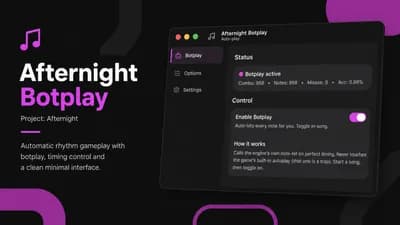
🎵 Afternight Botplay is an advanced Roblox auto-play script made specifically for Project: Afternight. It automatically hits playable notes with accurate timing while correctly handling both regular taps and long hold notes.
The script uses the rhythm engine’s own note input handlers instead of enabling the game’s built-in autoplay option. Start a song, enable Botplay, and let the script handle the chart automatically.
✨ Features
🤖 Automatic botplay for Project: Afternight
🎯 Frame-perfect note timing
🎼 Supports tap notes and hold notes
🔢 Automatically detects different key-count charts
⏱️ Adjustable timing offset
🧠 Humanize timing spread
❌ Custom intentional miss chance
⚡ Adjustable tap release delay
⌨️ Customizable botplay hotkey
📊 Live combo, notes, misses and accuracy statistics
🚫 Automatically ignores mines and harmful notes
🎨 Clean WindUI interface
🔑 Built-in key system
🧹 Unload button for quick script removal
🎮 How to Use
Join Project: Afternight.
Execute the script with a supported Roblox executor.
Complete the key system.
Start any song.
Enable Botplay from the menu or press Right Shift.
Adjust the timing and humanizer settings when needed.
⚠️ Executor Requirements
Your executor must support:
getgcgetconstantsgetupvalues
Without these functions, the script may not be able to connect to the game’s note engine.
Perfect for players looking for a Project: Afternight botplay script, Afternight auto play, customizable note timing, humanized gameplay and automatic rhythm chart completion.


![[FREE] [OP] AUTO FARM | AUTO BOSS | AUTO LEVEL | Symbiote](/_next/image?url=%2Fassets%2Fscripts%2F6a31f526c2949cc540ca42c8_1781658922811_ePCuatwr5y_0.webp&w=828&q=75)


Comments
Doesn't work with potassium no errors in console either