
Views: 3.5KExecutions: 3.6KExecutionsHow many times people ran this script. Copying it, downloading it or running it with the raw link all count. Max 10 per person a day.

- Keyless
- Mobile untested
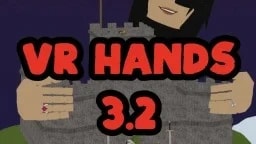
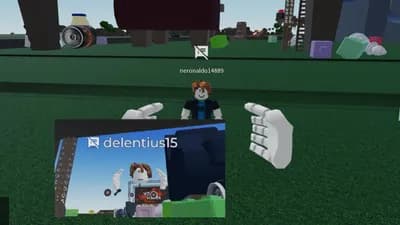
My edited version of Bac0nH1ckOff's original VR Hands script.
Credits to him for the base, i just added some quality of life
features to make it easier to use.
✨ WHAT'S NEW
• Draggable HUD, move the menu anywhere on your screen
• Live hotkey highlighting so you can see which key you're pressing
• Pose lock system, hold a pose key + click to lock, click again to unlock
Works with Point, Thumbs Up, and Finger Poke on both hands
• Slow Fly mode, hold LeftCtrl while flying for precise movement
• Cleaner UI with color coded sections
• Hide/Show menu with RightCtrl
🎮 HOW TO USE
After launching, the script checks your UNC to make sure everything
works, then rejoins the game and spoofs VR before it fully loads.
This is normal, just wait for it.
Once you're back in, all controls are shown right on the HUD.
Basic controls:
WASD to fly, Space/Shift for up/down
Mouse to look around
LMB/RMB to grab with left/right hand
Q/E to pinch players
+/- to change VR size (1 to 10)
Mouse wheel to adjust hand reach
⚠️ HEADS UP
The first time you press LeftAlt to unlock your cursor, tap it twice.
After that, one tap works every time. Small Roblox quirk, not a bug.
Credit goes to @Bac0nH1ckOff for making this script.
Let me know if you find bugs or want features added.
👐
10 lines · 468 B

ChadTRADEMARKVR Hands v3.2 🎙️
Bac0nH1ckOffVerifiedVR Hands v3.2 🎙️

Miz0Fake an Egg

NORMALSCRIPTSNatural Disaster Survival
itzme_KaittLegacy FPE:S
itzme_KaittLegacy FPE:S
Share what works, ask questions, or report an issue.
KikoMiko
On mobile it’s hard to turn your camera, you can’t move, and you can’t grab anything so could you please make the script mobile?
Abobchik
How to copy?
ivan67
scripts works great! i use wave executer btw
elimiqueias
work you no
elimiqueias
delta mobile pc you
elimiqueias
what VR ? you
Advertisement
Advertisement

Made with
1 collaborator
Tap a chip for community notes
