
Evade | Auto farm, revive, esp, anti-afk

Description
Main Tab
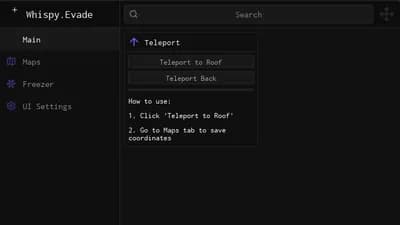
Teleport → Rise 300m
Instantly moves your character 300 meters upward (capped at 700 meters height). Useful for escaping ground-level dangers.
Speed Hack
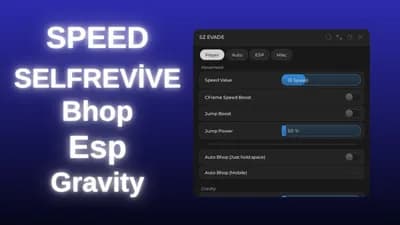
Increases movement speed beyond normal limits. Uses a slider to adjust the speed value. Works by modifying character position every frame.
Jump Power
Allows you to jump higher than normal. Includes a slider to set the exact jump height power.
Infinite Jump
Allows jumping while in the air without touching the ground. On PC, it works while holding Space. On Mobile, it creates a draggable button on the screen.
Bunnyhop
Automatically jumps the moment your character lands on the ground while holding the Space key. Maintains momentum for faster movement.
Jump Unlock
Removes the cooldown between jumps. Allows spamming jumps immediately without waiting for the "Landed" state to reset.
Lighting → Fullbright
Removes darkness, shadows, and fog from the game. Makes the map fully lit for better visibility.
Auto Farm
Automatically teleports your character to nearby tickets to collect them, then returns to a safe platform high in the sky.
Anti-AFK
Prevents the server from kicking you for inactivity. Simulates mouse clicks when the game detects you are idle.
Revive Tab
Auto Self-Revive
Automatically revives your own character if you get downed. Fires the revive event without manual input.
Auto Revive Others
Scans for downed teammates. Automatically teleports you to them, aims at them, and holds the interact key ("E") to revive them. Creates a floating safety platform during the process.
ESP Tab
Billboard ESP → Nextbots
Draws health bars and boxes above enemies (Nextbots). Loads an external script to handle visualization.
Billboard ESP → Players
Draws health bars and boxes above other human players.
Billboard ESP → Tickets
Highlights collectible tickets with visual markers.
Highlights → Players
Makes player characters glow with a colored outline through walls.
Highlights → Bots
Makes Nextbot characters glow with a colored outline through walls.
Tracer ESP → Players
Draws a line from the center of your screen to every player's position.
Tracer ESP → Bots
Draws a line from the center of your screen to every Bot's position.
Config Tab
Save Config
Saves your current toggle settings and slider values to a file with a custom name.
Load Selected
Loads settings from a previously saved config file.
Delete Selected
Removes a saved config file from the folder.
Refresh List
Updates the dropdown list to show newly saved configs.
Settings
Menu Keybind
Allows you to change the key used to open/close the menu (Default: K).
Menu Scale
Changes the size of the interface (Default, Large, Mobile, Small).






Comments
garbage key system