
Views: 3.8KExecutions: 2.6KExecutionsHow many times people ran this script. Copying it, downloading it or running it with the raw link all count. Max 10 per person a day.

Copy it, then tell others if it worked.
- Key required
- Mobile friendly
Advertisement
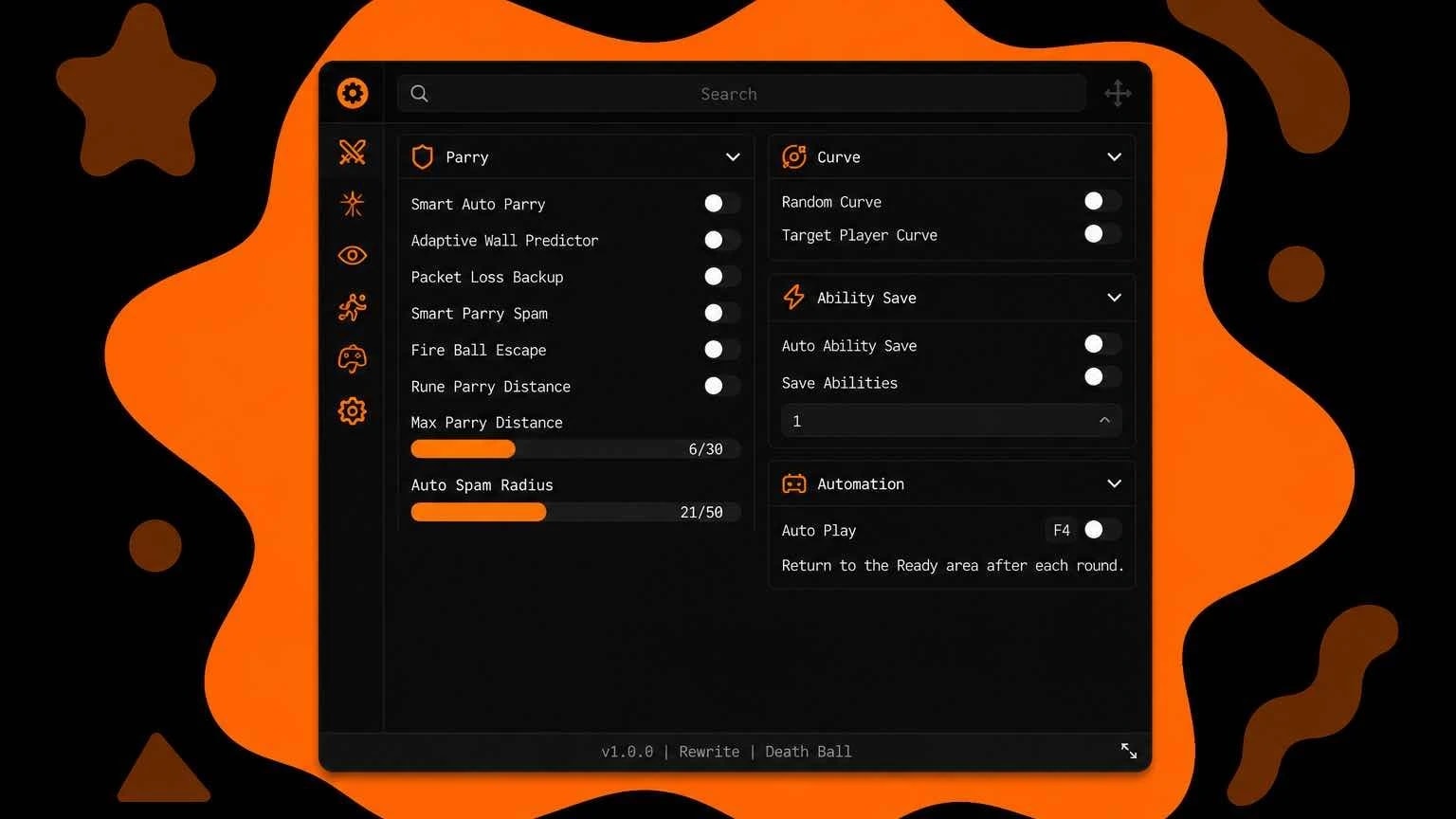
StackZero is a Death Ball script for Roblox with smart auto parry, adaptive ball prediction, auto spam, auto play, movement tools, and local cosmetics.

This hub is built specifically for the official Death Ball experience. Its adaptive predictor compares multiple ball-motion models in real time, including measured velocity, acceleration, curve/turn rate, and homing behavior. This helps Smart Auto Parry react to more than a simple fixed-distance check.

KEY SYSTEM AND REQUIREMENTS

StackZero is free to use, but it uses a PolSec key system whenever trial access is not active. Press Get Key in the loader or use the key link on this post. The loader includes an optional SaveKey setting so a valid key can be stored locally by supported executors.

A full-featured desktop executor is recommended. Core features require loadstring, HttpGet, hookfunction, hookmetamethod, getconnections (or get_signal_cons), debug.getupvalues, gethwid, and basic file functions. The nearest-server button also requires fireproximityprompt. Compatibility depends on the executor, so unsupported or partial executors may fail to load some features.

FEATURES

Combat:
- Smart Auto Parry
- Adaptive Ball Predictor
- Packet Loss Backup
- Smart Auto Spam with adjustable radius
- Fire Ball Escape
- Random Curve
- Target Player Curve
- Auto Ability Save with selectable ability slots

Automation and movement:
- Auto Play
- Optional Legit Mode for Auto Play
- Adjustable Speed
- Fly with adjustable speed
- Infinite Dash using Death Ball's internal dash

Visuals and cosmetics:
- Trigger-distance visual
- Auto-spam radius visual
- Local skin changer
- Local aura changer
- Local pose changer
- Local sword changer
- Local death explosion changer
- Local finisher changer
- Custom atmosphere, lighting, fog, color correction, sun rays, field of view, and camera blur
- Local character color, material, transparency, decal, and texture customization

Utility:
- High-ping warning
- Join-nearest-server option
- Config saving and autoload
- Custom themes, UI scaling, keybind menu, and clean unload

HOW TO USE

1. Join the official Death Ball game and wait for the lobby or round to load.
2. Open a compatible desktop or mobile executor.
3. Paste the script from this post and execute it.
4. If the key window appears, press Get Key, complete the key process, paste the key, and press Verify Key.
5. Wait for the StackZero loading screen to finish.
6. Press Right Shift to open or close the menu.
7. Open the Combat tab and enable Smart Auto Parry. Adjust Base Parry Distance only if your ping or executor needs it.
8. Enable other features as needed and save a config from the Settings tab if your executor supports file functions.

DEFAULT CONTROLS

- Right Shift: open or close StackZero
- F4: toggle Auto Play
- C: toggle Speed
- X: toggle Fly
- Q: use Infinite Dash while the feature is enabled
- K: open the keybind menu

IMPORTANT NOTES

- Disable other auto-parry scripts before enabling StackZero to avoid duplicate inputs.
- Skin, aura, pose, sword, explosion, finisher, lighting, and character changes are local only. They do not grant ownership or permanently modify inventory items.
- Mobile support is not currently advertised because several controls and executor APIs are desktop-oriented.
- Game updates can temporarily affect internal callbacks. Report reproducible issues in the StackZero Discord with your executor name and the feature that failed.Advertisement

owo_chanDeath Ball

ReefHubVerifiedDeath Ball

LimitlessHubDeath Ball

Sentenal_ZDeath Ball
luhscripterDeath Ball

reesehalDeath Ball
Tap a chip for community notes
Share what works, ask questions, or report an issue.
eul
The key system is awful, I can't even join the Discord server
officialreal(edited)
bruh, ass key system, and i got kicked: [StackZero] Runtime integrity validation failed.
ZanN_Hub
Stupid key system
10 lines · 477 B