
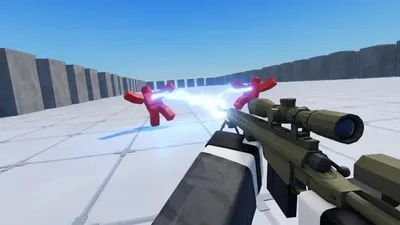
Views: 47.4KExecutions: 200ExecutionsHow many times people ran this script. Copying it, downloading it or running it with the raw link all count. Max 10 per person a day.

- Key required
- Mobile untested
Advertisement
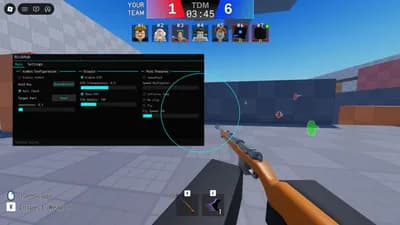
Aim Assist – Gently guide the target to the nearest visible enemy within the FOV.
Wall Check – Ignores hidden enemies behind walls to avoid suspicious sights.
TriggerBot – Automatically fire the weapon when the aim crosses a valid target.
Circle FOV – Visually renders the scope of the target assistance.
Aim Key Select – Set the key that must be held to activate the aim.
Aim Part – Toggle the point of focus of the aim between the head and the enemy's trunk.
FOV Size – Adjusts the size of the circular target detection area on the screen.
Smoothness – It controls the smoothness of the target movement to appear more human and legitimate.
Trigger Delay – Adds a delay to automatic firing to simulate human reaction time.
ESP Players – Highlights enemy players with a bright outline visible through walls.
Speed Changer – Enables modification of the character's walking speed.
Speed Amount – Defines the exact amount of motion speed on the ground.
Jump Power – Activates the character's jump force modification.
Jump Amount – Sets the maximum height that the character can jump.
Noclip – Removes the collision of the character to cross walls and solid objects.
Fly – It allows you to fly freely across the map in any direction, ignoring gravity.
Fly Speed – Adjust the displacement speed while the flight mode is active.
Advertisement
![🎯 Deadeye[New Ability - Space Transfer] Aimbot [+] ESP](/_next/image?url=%2Fassets%2Fscripts%2F69a38012da3ea915ba7cc19b_1772322834892_payEiyfCXX_0.webp&w=3840&q=75)

gbdhbxxxxDeadeye

sneakygooberVerifiedDeadeye

NickHubDeadeye

wolfluna61Dead Rails

Never_and_NeverDead Rails

GreatScriptDead Rails
Share what works, ask questions, or report an issue.
No comments yet. Be the first to share your experience with this script.
10 lines · 436 B