
Views: 48.7KExecutions: 1.2KExecutionsHow many times people ran this script. Copying it, downloading it or running it with the raw link all count. Max 10 per person a day.
- Keyless
- Mobile untested
Advertisement
Loot Manager Script Description
================================
Overview:
---------
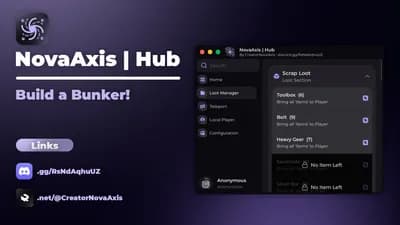
A Roblox script that provides a comprehensive loot management system with a graphical user interface. The script allows players to locate, count, and teleport loot items to their character's position.
Key Features:
-------------
1. Loot Categorization & Tracking
- Automatically reads loot categories from ReplicatedStorage
- Tracks all loot items in the workspace in real-time
- Organizes items by category with count display
2. User Interface
- Clean, categorized tabbed interface using WindUI library
- Dynamic button states (enabled/disabled based on item availability)
- Real-time count updates as loot spawns/despawns
3. Item Teleportation
- One-click teleportation of all items of a specific type to player
- Smart object handling (Models, BaseParts, etc.)
- Configurable Y-offset for item positioning
4. Mouse & Camera Control
- Toggle between locked first-person and free mouse modes
- Customizable toggle keybind
- Proper camera control integration
5. Real-time Updates
- Monitors workspace for loot changes
- Automatic UI refresh when loot is added/removed
- Optional descendant tracking for nested loot structures
Configuration Options:
----------------------
- COUNT_DESCENDANTS = true/false (track nested loot objects)
- Y_OFFSET = 5 (vertical offset for teleported items)
- TOGGLE_UI_KEY = Enum.KeyCode.H (keybind for UI/mouse toggle)
- RENDER_TAG = "ForceMouseDefaultWhenUnlocked"
Controls:
---------
- H Key: Toggle mouse lock/UI visibility
- UI Buttons: Teleport all items of selected type to player
Dependencies:
-------------
- WindUI Library (v1.6.41) - UI framework
- Roblox Services: Players, ReplicatedStorage, UserInputService, RunService, StarterGui
Technical Details:
------------------
- Uses PlayerModule for proper camera controls
- Implements render stepping for mouse behavior enforcement
- Safe notification system with error handling
- Efficient world object scanning and manipulation
- Event-driven architecture for real-time updates
Usage:
------
1. Script automatically initializes on startup
2. Press H to unlock mouse and open UI
3. Browse categories to see available loot counts
4. Click any available item button to teleport all instances to player
5. Press H again to lock mouse and resume normal gameplay
Error Handling:
---------------
- Safe notification delivery with retry logic
- Proper nil checking for game objects
- Graceful handling of missing loot structures
- Protected UI element updates
Compatibility:
--------------
Designed for Roblox games with:
- Loot system in ReplicatedStorage.Loot folder
- Loot objects in workspace.Loot
- Standard PlayerModule camera controls
DEVELOPER: Quantum Q Studio
Advertisement

CreatorNovaAxisBuild a Bunker!

CobruVerifiedBuild a Bunker!

asukiBuild A Boat For Treasure

vyreelBuild a Boss

eyesocketBuild A Solar Farm
![Build A Ring V1.2 (UPDATED!) [BPHUB] (WORKS ALL EXECUTORS)](/_next/image?url=%2Fassets%2Fscripts%2F6ab70e0f31046413dc5512f0_1790381584759_1iiQbBEtGZ_0.webp&w=3840&q=75)

bypasshubVerifiedBuild A Ring Farm
Share what works, ask questions, or report an issue.
HawkTuah
works but the game doesn't have a way to unlock the mouse so it's finnicky to use
255 lines · 7.0 KB