Views: 1.2KExecutions: 497ExecutionsHow many times people ran this script. Copying it, downloading it or running it with the raw link all count. Max 10 per person a day.

Copy it, then tell others if it worked.
- Key required
- Mobile friendly
Advertisement
Auto Sell
Turrets to Sell: “Choose the turrets you want to sell and keep your inventory under control.”
Weapons to Sell: “Select the weapons you want to sell automatically.”
Include Turrets: “Automatically sell your selected turrets with ease.”
Include Weapons: “Automatically sell your selected weapons with ease.”
Keep Equipped Weapon: “Protect your equipped weapon and keep it safe from selling.”
Auto Sell Selected: “Automatically sell your selected turrets and weapons as they appear.”
Sell Frequency: “Control how often your inventory is checked for items to sell.”
Refresh Lists: “Refresh your lists to keep your available items up to date.”
Sell Selected Once: “Quickly sell your selected items with one click.”
Sell ALL Turrets: “Instantly sell all sellable turrets in your inventory.”
Sell ALL Weapons: “Instantly sell all sellable weapons while protecting your equipped weapon.”
Auto Wave
Auto Start Wave: “Keep the action going by automatically starting the next wave.”
Check Frequency: “Control how often the next wave is checked.”
Start Wave Once: “Start the next wave instantly with one click.”
Dump Wave State: “Quickly check your current wave status.”
Auto Daily Reward
Auto Claim Daily Rewards: “Never miss a daily reward—claim it automatically as soon as it’s ready.”
Check Frequency: “Control how often your daily reward is checked.”
Claim Once: “Claim your available daily reward instantly.”
Check Status: “Quickly view your current daily reward status.”
Wave Speed Control
Force Wave Speed: “Keep your preferred wave speed active automatically.”
Speed Value: “Choose the wave speed that fits your farming style.”
Cycle Delay: “Fine-tune how often your selected speed is maintained.”
Fire Once: “Apply your selected wave speed instantly.”
Dump Current Speed: “Quickly check your current wave speed.”
Auto Open Crates
Auto Open Crates: “Automatically open your available crates and keep your rewards flowing.”
Skip Timers: “Open crates faster by skipping their remaining timers when available.”
Cycle Delay: “Control how often your crates are checked.”
Teleport Wait: “Adjust the wait time for smoother crate opening.”
Prompt Attempts: “Set how many opening attempts are made for each crate.”
Open Once: “Open all available crates instantly with one click.”
Scan Crates: “Quickly view your crates, types, and remaining timers.”
Auto Buy Crates
Crates to Buy: “Choose the crates you want to purchase automatically.”
Auto Buy Crates: “Automatically purchase your selected crates whenever they become available.”
Buy Frequency: “Control how often the shop is checked for new crates.”
Refresh Stocks: “Refresh the latest available crate stock.”
Buy Once: “Purchase your selected crates instantly with one click.”
Auto Claim Index
Auto Claim Index Rewards: “Automatically claim your completed Index rewards as soon as they’re ready.”
Claim Frequency: “Control how often new Index rewards are checked.”
Claim Once: “Claim all available Index rewards instantly.”
Refresh Status: “Quickly check how many Index rewards are ready to claim.”
Auto Plot Upgrade
Auto Upgrade Plot: “Automatically upgrade your Plot whenever you can afford the next upgrade.”
Upgrade Frequency: “Control how often your Plot is checked for upgrades.”
Upgrade Once: “Upgrade your Plot instantly when an upgrade is available.”
Auto Turret
Auto Upgrade Turrets: “Automatically upgrade your turrets and keep your defenses growing.”
Lock Onto Turret: “Automatically move to each turret for smoother upgrades.”
Upgrade 5x At Once: “Speed up progression by upgrading up to 5 levels at once.”
Turret Loop Delay: “Control how often your turrets are checked for upgrades.”
Auto Upgrade Rolls: “Automatically upgrade your Rolls whenever you can afford them.”
Rolls Loop Delay: “Control how often Roll upgrades are checked.”
Auto Upgrade Luck: “Automatically upgrade your Luck whenever you can afford it.”
Luck Loop Delay: “Control how often Luck upgrades are checked.”
Auto Lever
Rarities to Keep: “Choose the reward rarities you want to collect and skip the rest.”
Auto Lever + Pickup: “Automatically pull the lever and collect matching rewards for you.”
Scan Window: “Control how long the hub searches for matching rewards.”
Label Wait: “Adjust the wait time for reward information to appear.”
Teleport Wait: “Fine-tune the delay for smoother reward collection.”
Prompt Attempts: “Set how many collection attempts are made for each reward.”
Auto Farm
Auto Lock Enemy: “Automatically lock onto nearby enemies and keep your farming running.”
Auto Hit Sword: “Automatically attack with your equipped sword for continuous farming.”
Advertisement
Share what works, ask questions, or report an issue.
No comments yet. Be the first to share your experience with this script.
10 lines · 506 B
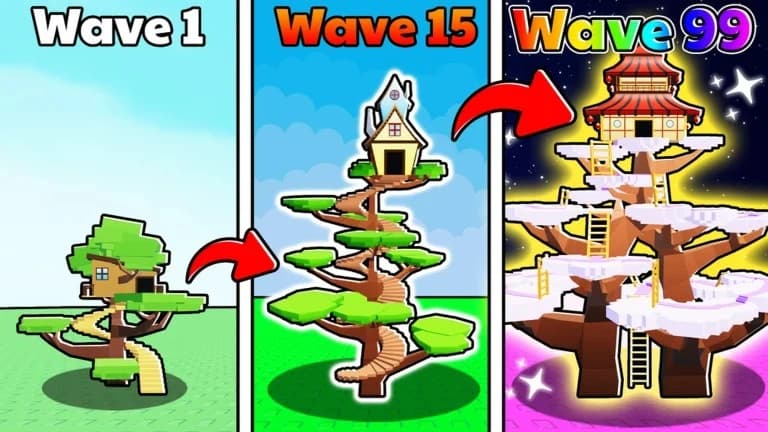

ChronicleVerifiedDefend Your Treehouse!



GoodpersonssAnime Adventures

RyuHubAnime Adventures