
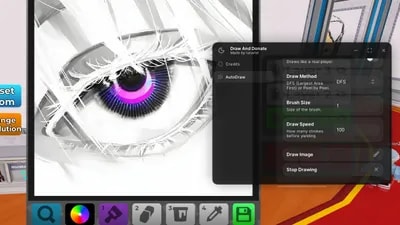
Views: 9.7KExecutions: 313ExecutionsHow many times people ran this script. Copying it, downloading it or running it with the raw link all count. Max 10 per person a day.

Copy it, then tell others if it worked.
- Keyless
- Mobile friendly
Advertisement
-- [[ Credits ]] --
+ Made by Lunariel
+ Discord User : @lunarielz
+ Version : 1.1 - READ THE INSTRUCTION CAREFULLY BEFORE USE !
+ XENO, SOLARA, LOW UNC EXECUTOR DOES NOT SUPPORTED !
-- [[ INSTRUCTION ]] --
Please make sure you've read the instructions on how to paste an image URL before using it.
Use : https://lunarielimagesearch.onrender.com/ to find image if you don't know how to copy image url
Android
Goggle Chrome : Find image → Click the image you want to draw → Hold the image → Open image in new tab → Copy the image URL from the search bar Kiwi & Brave : Find image -> click the image you want to draw -> Hold the image -> Copy image link
iOS
Make sure you are NOT using SAFARI. Please use Google Chrome → Find image → Click the image you want to draw → Hold the image → Click Share → Click Copy
PC
Any browser you want → Find image → Click the image you want to draw → Right mouse click → Click Copy image address If it ends with .html or anything else, then it is NOT an image.
If it ends with .html or anything else, then it is NOT an image.
--[[ Feature ]] --
[+] Auto draw with image URL
[+] Supported All Canva Resolution
[+] Quantizion Amount Colours
[+] Draw Method (DFS / Horizontal / Pixel by Pixel)
Advertisement
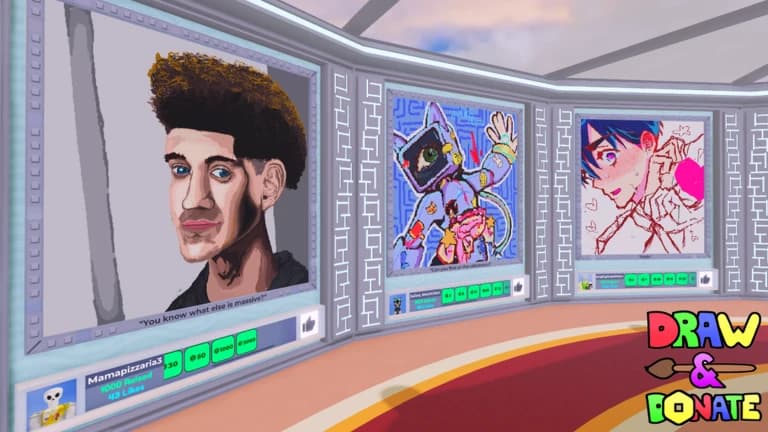

BlackxxxDraw & Donate 🎨
hazeVerifiedDraw & Donate 🎨

SynarcyDraw & Donate 🎨
LownasDraw & Donate 🎨
dddhhhDraw & Donate 🎨
7r6ikDraw & Donate 🎨
Share what works, ask questions, or report an issue.
Bidyapati95
Where to get image all from google looks scripted :(
HopOutBlick
Did u try your script 🤣
12 lines · 560 B