Views: 56Executions: 51ExecutionsHow many times people ran this script. Copying it, downloading it or running it with the raw link all count. Max 10 per person a day.

- Keyless
- Mobile untested
Advertisement
Advertisement
Build r14 · made for Solara v3 · UI library: 4D$ (loaded from GitHub)
---
## English
### What it is
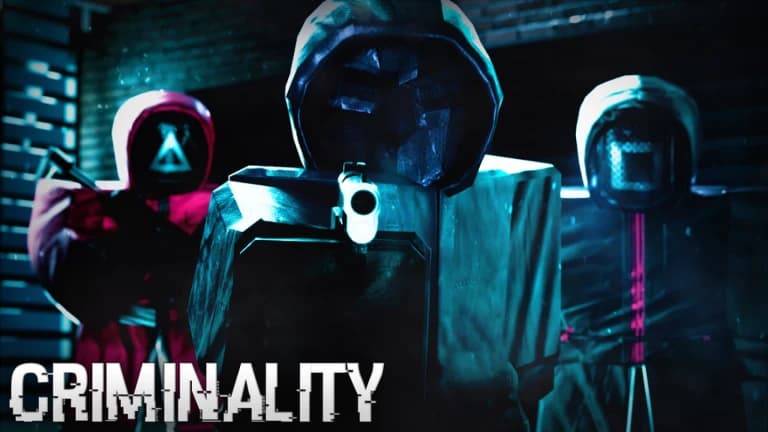
A menu script for the Roblox game Criminality. Four tabs:
| Tab | What is inside |
|---|---|
| Combat | no recoil / no spread, aim lock, silent aim, triggerbot, hitmarker and damage text, weapon view |
| Visuals | player / loot / door / shop ESP, outlines, FOV and zoom, custom crosshair |
| Money | auto lockpick, auto cash, auto crowbar, allowance and bank→cash from afar |
| Misc | infinite stamina, no fall damage, fullbright, anti-flash, anti-AFK, alerts, optimizer, debug |
### Requirements
* An executor that can run big scripts and load a script from the internet game:HttpGet) — Solara v3 works.
* Internet access (the menu library is downloaded from GitHub at start).
* Some features need executor functions. If one is missing, only that feature is affected:
| Feature | Needs |
|---|---|
| Silent aim, No fall damage learning, Bank/Allowance recording | hookmetamethod |
| Infinite stamina (auto learning) | getgc (and debug.getupvalues helps) |
| Aim method "Mouse move" | mousemoverel |
| Auto lockpick (GUI click) | VirtualInputManager |
### Compatibility (executors)
At start the script checks what your executor can do (the console line [4Money] executor: … | hook=… getgc=…, also shown in the Help drawer) and switches off only the features that need something missing. It is written for Solara, Xeno, Wave, Potassium, Volt, Delta, KRNL, Codex, Arceus X and similar executors. I could not test each of them, so what works depends on the functions your executor really has.
| Needs | Used by | If it is missing |
|---|---|---|
| game:HttpGet or request / http_request / syn.request | loading the menu | tries the other ways, a CDN mirror, then a local workspace/4D$.lua |
| writefile, readfile, isfolder, makefolder | saving settings | settings are simply not saved |
| hookmetamethod (or getrawmetatable + setreadonly) and getnamecallmethod | silent aim, fall-damage learning, Bank/Allowance recording | those features stay inactive |
| getgc debug.getupvalues helps) | infinite stamina learning | only the simple method is used |
| mousemoverel | aim method "Mouse move" | use "Camera" (default) |
| mouse1click or VirtualInputManager | triggerbot, auto lockpick click | the other one is used; if neither exists these two do nothing |
| getconnections / firesignal / keypress | lockpick fallback input methods | other methods are used |
Phones / tablets (Delta, Codex, Arceus X …): there is no right mouse button and no keyboard, so Aim lock starts on Always, and "Hold RMB" / "zoom on a key" cannot be used. Use the toggles and the triggerbot instead. The menu itself comes from the library and its look on a small screen is up to it.
### How to run
1. Join Criminality and wait until the game has fully loaded.
2. In Solara open a new empty tab, paste the whole file 4Money.lua (about 153 KB) and press Execute.
If pasting a file this large gets cut off, put the file into Solara's workspace folder and run:
```lua
loadstring(readfile("4Money.lua"))()
```
3. Check the console. You must see [4Money] build 2026-11-22 r14 starting, then the menu opens and a "Loaded." notification appears.
If the build line is missing or the size shown by Solara Ran script (… KB)) is much smaller than 153 KB, you are running an old or cut-off copy.
Running the script again cleans up the previous run first, so you do not have to rejoin.
### Using the menu
Every toggle and button has a small *key chip**. Click it and press a key to bind; Esc or right-click clears the bind.
* Settings are saved automatically 4Money/config in the executor's workspace) and restored next time.
The *Money tools** panel (right edge) has one-click money actions. The Help drawer (left edge) has short tips.
* Debug output (Misc → Debug) prints details to the console. Turn it on before reporting a problem.
### Features
Combat
* No Recoil – cancels the camera kick while you shoot (suppression 1.0 and smoothing 0 = full cancel). It also zeroes recoil / kick numbers of the weapon you are holding. Cancel camera recovery: switch it off if the aim creeps UP after shooting.
* No Spread – zeroes spread / inaccuracy / bloom / scatter / deviation / dispersion values of your weapon. Every change is saved and put back when you die, switch it off or unload the script.
* Aim lock – turns the camera to the target. Pick when it works (*Hold RMB / Hold LMB / Always*), the target part, the FOV circle, smoothness, max turn speed, distance and wall check. Aim method: Camera (exact, default) or Mouse move (experimental, learns the mouse sensitivity).
* Silent aim – while you shoot, the rays the game uses to find the hit are turned to the head/torso of the enemy nearest to the crosshair; the camera does not move. Has FOV, distance, hit-chance and wall check. If bullets still miss, turn Debug on and look for silent aim: ray turned to …; no such line means the game aims in another way.
* Hitmarker – X at the crosshair and a sound when you hit someone (red on a kill). Damage text shows -HP and -ARMOR you took off.
* Triggerbot – shoots when the crosshair is on an enemy for the chosen number of ms; walls block it.
* Weapon view – makes your weapon see-through while aiming in first person.
Visuals
* ESP → Players: box, fill, health bar + number, held item, tracers, off-screen arrows (colour, distance). Loot (safes, registers, crates; optional "only not-yet-opened"), Doors, Shops, Outlines.
* Camera: custom FOV; zoom on a key (default C, hold or toggle). Slow mouse while zoomed removes the "too sharp" mouse when zoomed in.
* Custom crosshair with size, thickness, gap, centre dot and colour.
Money
* Auto lockpick – plays the lockpick minigame for you by clicking at the right moment, bar after bar (B1→B2→B3). Settings: input method, timing offset, start delay (no click right after the minigame opens), delay between presses, stop after N real misses. Keep Debug on if it misses and send the lockpick … lines.
* Cash and safes – auto pick up dropped cash, auto crowbar (hits the nearest safe/register; you need a Crowbar).
* Allowance (from afar) – collects the allowance without walking to the ATM. If the automatic way does not work, use the Fallback recording buttons.
* Bank to Cash (from afar) – press 1, withdraw bank→cash once at an ATM, press 2. After that 3 (or the side panel button, or the auto toggle) converts from anywhere.
Misc
* Infinite stamina – learns where the game keeps stamina. Switch it on and sprint for 5–10 seconds; the console says Stamina learned. After you die it learns again.
* No fall damage – limits the fall speed and, if you still get hurt, learns and blocks the damage remote (the first fall can still hurt).
* Fullbright, Anti flashbang, Anti-AFK, Nearby player alert (radius), Smart pause (stops the auto actions at low health or when dead).
* Optimizer – turns off shadows, particles and post effects for more FPS.
### Troubleshooting
| Problem | What to do |
|---|---|
| Console shows :NNNN: … errors without a script name | A syntax error in a wrong, old or cut-off copy. Check the build … r14 line and the size (≈153 KB); paste a fresh copy into an empty tab or use readfile. |
| Failed to load Lumen UI | The menu library could not be downloaded: check your internet / GitHub access. |
| Weapons do not equip / Requested module experienced an error while loading | A module was broken for this server session (an old script version did it). Rejoin the server and use the current build. |
| Lockpick misses | Turn on Debug, raise Start delay, check the lockpick press / result / MISS lines. |
| Aim lock feels wrong | Use Aim method = Camera, lower Smoothness, raise Max turn speed. |
| Silent aim does nothing | Needs hookmetamethod; use Debug (see above). |
| Camera / sprint behave strangely after death | Rejoin once and report which features were on. |
### Notes
* Use at your own risk: scripts can get your account banned. An alt account is safer.
* Many features rely on the game's internals and may stop working after a game update.
4.7out of 5 stars
1.9K reviews
100K+
Downloads

Advertisement
Share what works, ask questions, or report an issue.
No comments yet. Be the first to share your experience with this script.
10 lines · 465 B